
Mail Merge for Gmail™
QueueMerge connects your Google Sheets™ data with email templates and generates a queue of personalized emails. Review each message in Gmail™ compose and send at your own pace.
How it works
Connect Your Sheet
Open QueueMerge from Google Sheets™ and map columns to merge fields.
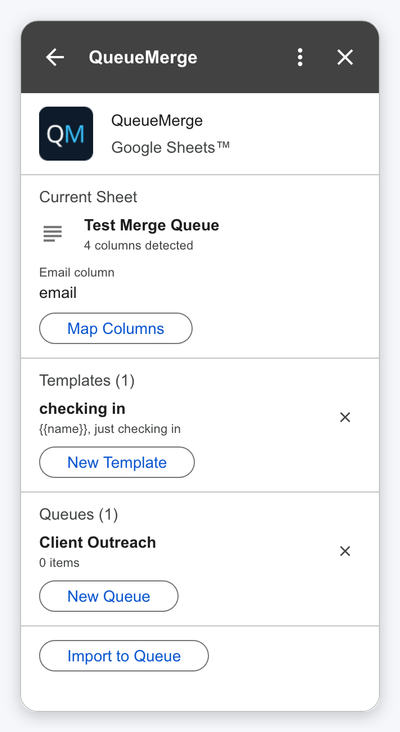
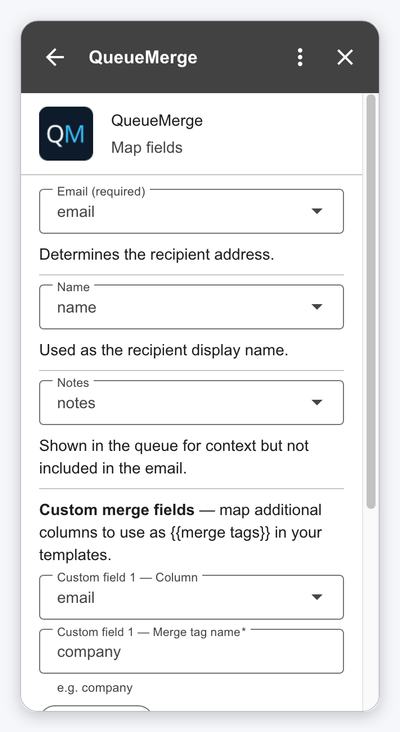
Map & Template
Map email, name, and custom fields. Create templates with {{merge tags}}.
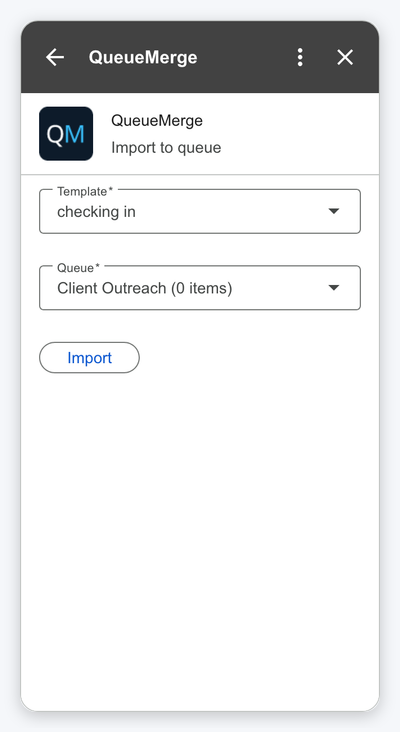
Import & Send
Import merged messages into a queue, then send one by one from Gmail™.
Features
Google Sheets™ Integration
Paste your sheet URL and QueueMerge reads the column headers and data automatically.
Merge Tags
Use {{fieldName}} tags in your templates. Any column from your sheet becomes a merge field.
Template Manager
Create, edit, and manage multiple email templates with subject and HTML body.
Message Queue
Generate a queue of personalized messages and review each one before sending.
One-by-One Sending
Each message opens in Gmail™ compose for review. Send at your own pace.
No Account Needed
Uses your Google identity. No sign-up, no API keys, no configuration.
Personalized outreach
Send personalized emails to prospects, clients, or team members using data from your Google Sheets™. Each email is customized with merge tags and reviewed before sending.
- Personalize subject and body with any field
- Review each email before sending
- Send from your own Gmail™ address
- No third-party email platform needed
Event invitations & updates
Have a list of attendees in a spreadsheet? Create an HTML email template with merge tags and send personalized invitations or updates to each person individually.
- Import attendee lists from Google Sheets™
- Custom HTML templates with inline styles
- Queue up all messages in one click
- Send at your own pace — no rush
Ready to send personalized emails from Gmail™?
Install QueueMerge for free and start sending personalized emails powered by your Google Sheets™ data.
Install from Google Marketplace